
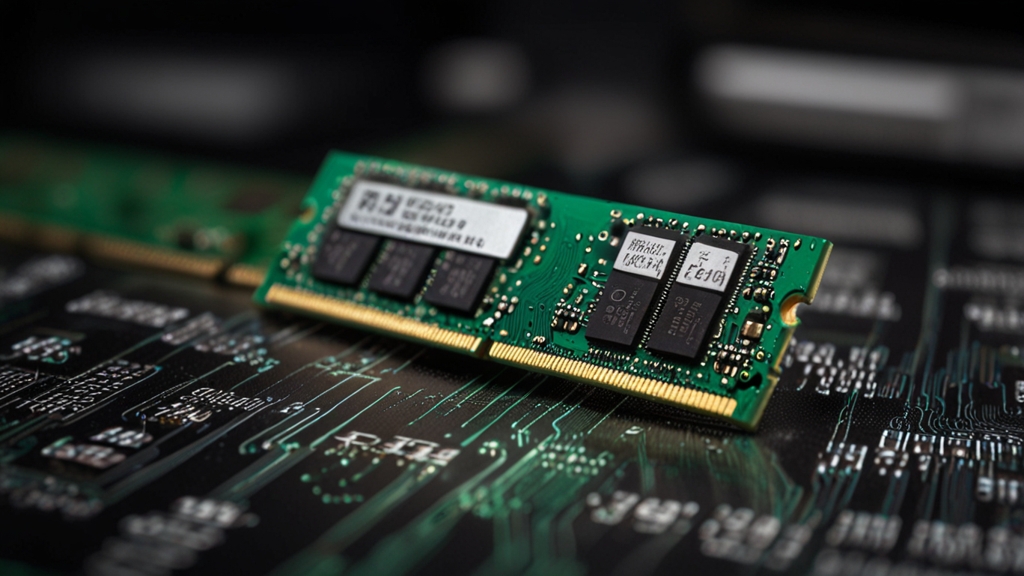
Random Access Memory (RAM) is one of the critically important components of a computer that directly affects its performance and speed. Choosing the right RAM can significantly improve your PC experience, whether it’s for everyday tasks, gaming, or professional work. In this article, we’ll figure out which parameters you should pay attention to when buying RAM to choose the optimal option for your needs.
Determining the Required Memory Capacity
The first and most important question when choosing RAM is its capacity. The minimum recommended capacity depends on the intended use of the computer. For basic tasks such as browser work, video viewing, and using office applications, 8 gigabytes of memory is sufficient. However, in the modern world, browser memory consumption is increasing, and 8 GB is becoming the minimum threshold value.
If you work with more demanding applications, edit videos, do 3D modeling, or run virtual machines, you will need 16 gigabytes of RAM. This capacity will ensure smooth operation of several complex applications simultaneously. For professional content production, scientific computing, and work with large databases, 32 gigabytes or more is recommended.
Gamers, depending on the requirements of modern games, should plan for 16 GB as the standard, and for maximum settings and fast loading of locations — 32 GB. Also remember that the operating system and background programs consume part of the memory, so it’s better to buy a bit more than the minimum required amount for your primary use.
RAM Type and Standard
Currently, two main types of RAM dominate the market: DDR4 and DDR5. If you’re building a new computer, you should choose DDR5, as it is the modern standard that provides better performance and future compatibility. However, DDR5 is more expensive and requires a modern motherboard that supports this standard.
If you already have a computer with a motherboard that supports DDR4, there’s no need to urgently switch to DDR5. DDR4 remains a reliable and affordable solution for most tasks. It is important to check which standard your motherboard supports, as DDR4 and DDR5 are incompatible with each other physically and electrically.
When choosing between memory types, you should also consider the data transfer speed, measured in MHz. For DDR5, frequencies of 5600 MHz, 6000 MHz and higher are relevant, while for DDR4 the standard frequencies are 3200 MHz and 3600 MHz. Higher frequency provides better performance, especially when working with demanding applications.
Memory Frequency and Timings
The frequency of RAM, expressed in megahertz (MHz), determines the speed at which memory can transfer data. It would seem that the higher the frequency, the better, but in practice, the difference in performance when moving from 3200 MHz to 3600 MHz for an average user may be imperceptible. However, for gamers and professionals, this difference becomes more noticeable.
Memory timings are another important parameter, often written as four numbers (for example, 16-18-18-38). These values determine the latency when accessing memory. Lower timing values mean less latency and, theoretically, better performance. However, in practice, the impact of timings on overall performance is less significant than frequency.
If you’re choosing between two memory kits with the same capacity and standard, it’s better to choose the one with the higher frequency. Timings can be a secondary factor. When overclocking the system, tight timings become more important for stability, but for normal use, it is recommended to focus on frequency and manufacturer reliability.
Choosing a Reliable Manufacturer and Price-to-Performance Ratio
The RAM market is dominated by several major manufacturers: Corsair, Kingston, G.Skill, Crucial, Samsung, and ADATA. All of these companies have a good reputation and offer quality products with warranty. When choosing between them, rely on reviews of specific models and reliability ratings on authoritative websites such as TechPowerUp.
The price-to-performance ratio is very important when choosing RAM. There’s no point in overpaying for premium brands if you don’t need fancy RGB lighting or special cooling. Basic memory without frills often offers a great balance between cost and performance. Check prices in different stores and watch for sales, as RAM prices can fluctuate.
When purchasing memory, pay attention to the manufacturer’s warranty — it usually ranges from 5 years to lifetime. This is an indicator of the manufacturer’s confidence in the quality of their product. Also make sure the memory is supported by XMP/DOCP profiles if you want to easily overclock the system and get higher performance with the specified frequencies and timings.
Compatibility and Practical Installation Tips
Before buying RAM, be sure to clarify which standard your motherboard supports. Visit the official website of your motherboard manufacturer and find the list of compatible memory (QVL — Qualified Vendor List). This will help you avoid compatibility issues and system instability.
When installing memory, pay attention to the physical slots on the motherboard. Place the memory at approximately a 45-degree angle, then push it down until it fully seats in the slot with a characteristic click. Make sure both latches on the edges of the slot have clicked into place. If the memory is installed incorrectly, the computer either won’t turn on or will work unstably.
If you’re adding additional memory modules to existing ones, make sure they are exactly the same model and capacity. Although modern systems can work with memory from different manufacturers, matching specifications will ensure better compatibility. After installation, verify that the system correctly recognizes the full amount of memory in the BIOS and operating system.
Choosing RAM doesn’t require deep knowledge, but it does require attention to detail. Determine your capacity needs, ensure compatibility with your system, choose a reliable manufacturer, and don’t overpay for unnecessary features. Properly selected RAM will become a solid foundation for fast and stable operation of your computer for many years to come.