
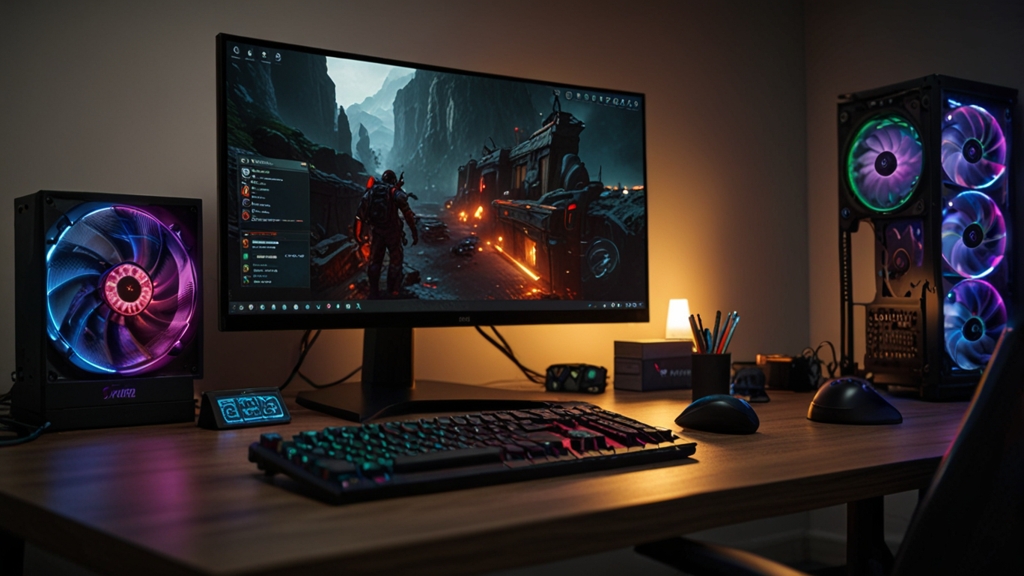
Best NVMe SSDs for Gaming in 2025: Speed Meets Performance
When it comes to building or upgrading a gaming PC in 2025, the storage drive you choose plays a more significant role than many gamers realize. Gone are the days when SSDs were simply a luxury—they’re now essential for competitive gaming, smooth gameplay, and incredibly fast load times. NVMe SSDs, with their direct connection to your motherboard, have become the gold standard for PC gaming storage. Let’s explore what makes the best gaming NVMe drives and how to choose the perfect one for your setup.
Why NVMe SSDs Matter for Gaming
Traditional SATA SSDs max out at around 550 MB/s read speeds, while modern NVMe drives regularly exceed 7,000 MB/s. For gamers, this translates to dramatically reduced loading screens in AAA titles like Star Wars Outlaws, Dragon Age: The Veilguard, and other demanding releases. Modern games increasingly take advantage of fast storage to stream assets directly into memory, which means faster drives equal better frame consistency and fewer stutters during gameplay.
Beyond gaming, NVMe SSDs significantly improve overall system responsiveness. Your boot times, application launches, and file transfers will all benefit from the superior bandwidth these drives provide. Whether you’re streaming gameplay, recording video, or working with large project files between gaming sessions, a quality NVMe SSD is an investment that pays dividends across your entire computing experience.
Key Specifications to Consider
Before diving into specific product recommendations, understanding the critical specifications will help you make an informed decision:
- Speed Rating: Look for drives offering sequential read speeds of at least 5,000 MB/s. For optimal performance with next-generation games, 7,000 MB/s or higher is preferable.
- Form Factor: M.2 is the standard for modern gaming PCs. Most drives come in the 2280 size (22mm wide, 80mm long), which fits nearly all recent motherboards.
- Capacity: Gaming libraries have expanded dramatically. While 500GB might suffice for lighter usage, 1TB has become the sweet spot for most gamers. If you’re running multiple AAA titles simultaneously, 2TB provides comfortable breathing room.
- Thermal Management: High-speed NVMe drives generate heat. Devices with heatspreaders and thermal pads help maintain consistent performance during extended gaming sessions.
- DRAM Cache: Drives with dedicated DRAM cache offer more consistent performance compared to DRAM-less models, particularly during heavy workloads.
- Endurance Rating: Measured in TBW (Terabytes Written), this indicates how much data the drive can handle before wearing out. For gaming, 500+ TBW is acceptable, though higher ratings provide extra peace of mind.
Top NVMe SSDs for Gaming in 2025
Premium Performance: Samsung 990 Pro
Samsung’s 990 Pro remains the gold standard for gaming enthusiasts who want the absolute best performance. With sequential read speeds reaching 7,100 MB/s and exceptional random access times, this drive handles any gaming scenario flawlessly. The robust heat spreader keeps temperatures under control during sustained performance, and Samsung’s proven reliability record gives you confidence in your investment. The 990 Pro excels in both gaming and content creation, making it ideal if you dabble in streaming or video editing.
Best Value: WD Black SN850X
Western Digital’s Black SN850X strikes an excellent balance between performance and price. Delivering 7,100 MB/s read speeds with a sleek design and effective heat management, this drive performs nearly identically to more expensive alternatives in real-world gaming scenarios. The WD Black SN850X includes a five-year warranty and comes in capacities up to 4TB, making it exceptionally versatile for any gaming setup.
Budget-Friendly Option: Kingston Fury Beast Pro
Don’t let the lower price tag fool you—Kingston’s Fury Beast Pro delivers impressive performance at an accessible cost. With 4,950 MB/s read speeds and reliable performance across extended gaming sessions, this drive proves you don’t need to spend premium prices for a quality gaming experience. The Fury Beast Pro comes with a heat spreader and includes a seven-year warranty, demonstrating Kingston’s confidence in the product’s longevity.
Innovation Leader: Corsair MP600 Core XT
Corsair continues pushing the envelope with its MP600 lineup. The Core XT variant offers speeds up to 4,950 MB/s with excellent consistency and thermal management. Corsair’s integration with popular gaming ecosystems and their focus on reliability make this a solid choice for players who value brand ecosystem compatibility alongside performance.
How to Install Your New NVMe SSD: Step-by-Step
Installing an NVMe SSD is refreshingly straightforward and requires minimal tools:
- Step 1: Power down your PC completely and flip the power supply switch to OFF. Wait 30 seconds before opening the case to ensure all power is discharged.
- Step 2: Ground yourself by touching a metal part of the case or wearing an anti-static wristband. This prevents electrostatic discharge from damaging your components.
- Step 3: Locate the M.2 slot on your motherboard. Most modern motherboards have at least two slots. Consult your motherboard manual to identify which slot offers the best performance—typically the first M.2 slot provides the fastest speeds.
- Step 4: Remove the mounting screw at the end of the M.2 slot by gently unscrewing it with a Phillips head screwdriver.
- Step 5: Insert the drive at a 30-degree angle into the slot, then press down gently and secure with the mounting screw. Don’t over-tighten; snug is sufficient.
- Step 6: Close your case, reconnect all cables, and power on your PC. Your system should automatically recognize the new drive.
Optimizing Your NVMe Performance
After installation, take these steps to maximize your gaming experience:
First, ensure your BIOS is updated to the latest version. Manufacturers frequently release updates that improve storage compatibility and performance. Check your motherboard manufacturer’s website for the latest BIOS version and installation instructions.
Second, enable XMP/DOCP in your BIOS if you haven’t already. While this primarily affects RAM, running stable memory profiles ensures your system can fully utilize your new drive’s capabilities. For detailed guidance on storage optimization, Tom’s Hardware provides comprehensive SSD benchmarking and optimization guides.
Third, maintain adequate free space on your drive. Keeping at least 10-15% of your total capacity free ensures optimal performance and longevity. When your drive gets too full, performance can degrade noticeably.
Final Thoughts
Selecting the right NVMe SSD for gaming in 2025 comes down to balancing performance, capacity, and budget. Whether you opt for Samsung’s premium 990 Pro, Western Digital’s value-packed SN850X, or Kingston’s budget-friendly Fury Beast Pro, you’ll experience transformative improvements in your gaming experience. Fast load times mean more time playing and less time waiting, making NVMe storage the single best upgrade for gaming PCs in 2025.