
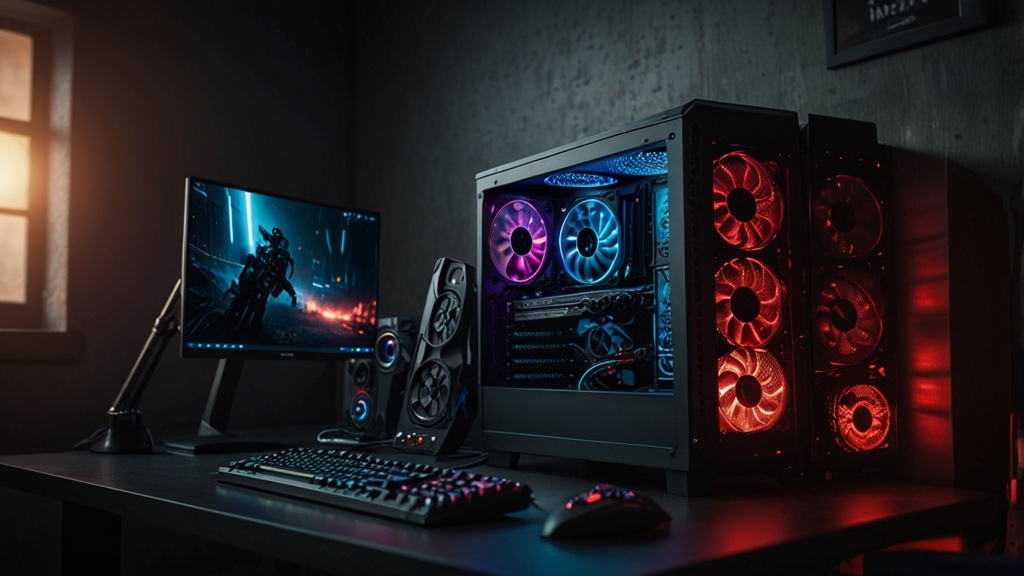
How to Choose the Right CPU for Gaming: A Complete Guide
Building or upgrading your gaming PC can be overwhelming, especially when it comes to selecting the right CPU. With so many options available from Intel and AMD, each with different cores, clock speeds, and price points, it’s easy to get lost in the specifications. However, choosing the right processor doesn’t have to be complicated. This guide will walk you through everything you need to know to make an informed decision that matches your gaming needs and budget.
Understanding CPU Basics for Gaming
Before diving into the selection process, let’s clarify what makes a CPU suitable for gaming. Unlike content creation or video editing, gaming doesn’t always require the absolute highest core count. Games are increasingly multithreaded, but single-core performance and clock speed still play crucial roles in determining frame rates and overall gaming experience.
The key specifications to understand are:
- Core Count: The number of processing units. Six to eight cores are generally sufficient for gaming, though higher counts help with streaming or multitasking.
- Clock Speed (GHz): How fast each core operates. Higher speeds mean better gaming performance in most titles.
- Thread Count: Modern CPUs can process multiple threads per core, improving multitasking capabilities.
- Cache: Faster memory on the CPU itself. Larger caches can improve performance.
- TDP (Thermal Design Power): The amount of heat your CPU will generate, affecting cooling requirements.
Step 1: Determine Your Budget Range
CPU pricing varies dramatically, from budget-friendly options under $150 to high-end processors exceeding $600. Your budget should reflect your overall gaming setup and expectations. A good approach is to allocate your GPU budget first, as graphics cards typically have a larger impact on gaming performance. Once you know your GPU choice, dedicate about 20-30% of your total PC budget to the CPU.
Budget tiers typically break down as follows: entry-level ($100-200), mid-range ($200-350), and high-end ($350+). Gaming performance scales reasonably well across these tiers, but you’ll see diminishing returns at the highest price points.
Step 2: Match Your CPU to Your GPU
One of the most critical decisions is ensuring your CPU and GPU work together efficiently. This concept is called “bottlenecking.” A CPU that’s too weak for your GPU can limit frame rates, while an overkill CPU paired with a mid-range GPU wastes money on unnecessary performance.
As a general rule, your CPU and GPU investment should be relatively balanced. If you’re using an RTX 4070 or RX 7700 XT, pair it with a mid-range CPU like an Intel Core i7-13700K or AMD Ryzen 7 5700X. If you’re running an RTX 4090, invest in a high-end processor like an Intel Core i9 or AMD Ryzen 9 to maximize its potential.
Step 3: Choose Between Intel and AMD
Both Intel and AMD offer excellent gaming CPUs. Intel’s newer generations (12th Gen Alder Lake and 13th Gen Raptor Lake) excel in single-core performance, making them exceptional for high frame rate gaming. AMD’s Ryzen processors, particularly the 7000 series, offer fantastic multi-core performance and often come at competitive prices with excellent value propositions.
For pure gaming performance at high refresh rates (144Hz+), Intel currently has a slight edge. However, AMD offers better value for the money in many price brackets and excels when you combine gaming with streaming or content creation. Check Tom’s Hardware for detailed comparative benchmarks to see real-world gaming performance differences.
Step 4: Consider Your Target Resolution and Refresh Rate
Your gaming targets significantly influence your CPU needs. If you’re gaming at 1440p or 4K with a high-end GPU, the CPU matters less because the GPU becomes the limiting factor. However, if you’re chasing high refresh rates at 1080p or 1440p (144Hz+), CPU performance becomes increasingly important.
- 1080p 144Hz+: Requires strong single-core CPU performance. Mid to high-end processors recommended.
- 1440p 60-120Hz: Mid-range CPUs are generally sufficient.
- 4K 60Hz: CPU is less critical; focus GPU investment here.
Step 5: Think About Future Compatibility and Upgradability
Consider the motherboard socket and platform longevity. Intel’s LGA1700 socket and AMD’s AM5 socket represent current platforms with multiple generation roadmaps ahead. Investing in platforms with more upgrade potential means you could swap in a faster CPU later without replacing your motherboard.
Check the manufacturer’s CPU roadmaps to see how many generations your chosen socket will support. This affects your long-term upgrade flexibility and can provide better value over time.
Step 6: Evaluate Additional Gaming Requirements
Modern gaming CPUs often include features that enhance the gaming experience:
- Integrated Graphics: Useful for troubleshooting and light gaming if your GPU fails.
- PCIe 5.0 Support: Future-proofing for next-generation graphics cards.
- Overclocking Potential: If you’re enthusiast enough to push your hardware.
- Thermal Performance: Better cooling potential means more stable overclocking.
Step 7: Check Cooling Requirements
Higher-end CPUs generate more heat, requiring adequate cooling solutions. Budget CPUs often come with adequate stock coolers, but mid-range and high-end processors benefit from quality aftermarket coolers. Factor cooling costs into your budget—a good tower cooler typically costs $30-60, while liquid coolers range from $60-150+.
Making Your Final Decision
Once you’ve considered all these factors, create a shortlist of 2-3 CPUs that fit your requirements and budget. Compare real-world gaming benchmarks in titles you actually play, not just synthetic tests. Read professional reviews and user feedback to understand real-world performance and reliability.
Remember that CPU technology advances quickly, but current-generation processors will remain viable for gaming for years. Don’t get caught up in having the absolute latest if your current budget doesn’t allow it. A solid mid-range CPU from the current or previous generation will provide excellent gaming performance and better value than stretching for a flagship processor.
By following these steps and considering your specific gaming needs, budget, and platform preferences, you’ll be well-equipped to choose a CPU that will deliver smooth, enjoyable gaming for years to come. Happy gaming!