
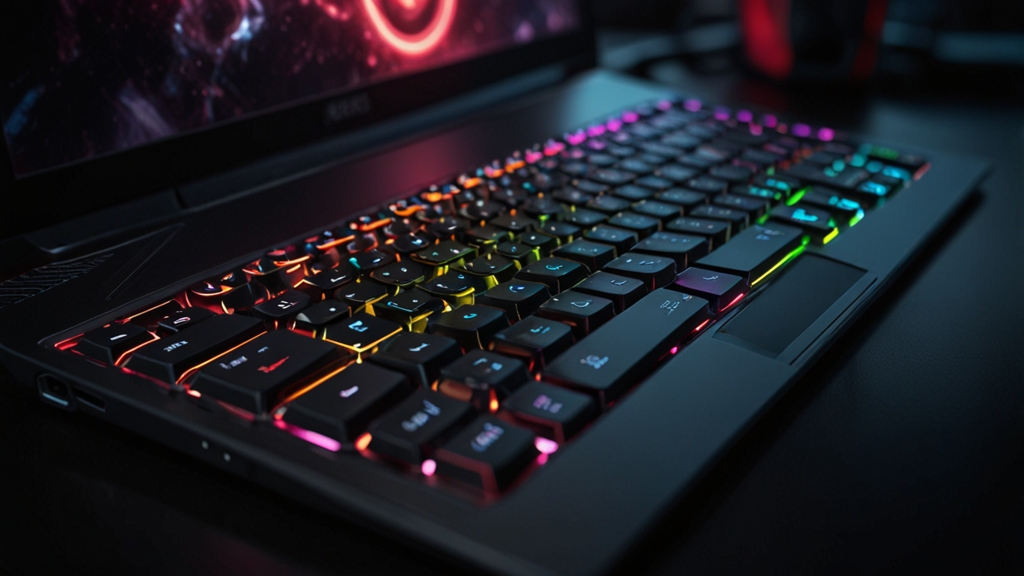
Best Budget Gaming Laptops Under $800 in 2025: Maximize Performance Without Breaking the Bank
Finding the perfect gaming laptop under $800 might seem like an impossible task, but 2025 has brought some impressive options to the market. Whether you’re a casual gamer, content creator, or esports enthusiast on a tight budget, there are solid machines that deliver genuine performance without the premium price tag. Let’s explore what’s available and how to make the smartest choice for your gaming needs.
Why Budget Gaming Laptops Are Better Than Ever in 2025
The gaming laptop market has evolved dramatically. Manufacturers are now offering better thermal solutions, improved display panels, and more efficient processors in the budget segment. With AMD’s Ryzen 7000 series and Intel’s newer budget chips combined with entry-level RTX and RX GPUs, you can achieve 60+ FPS in many modern titles at medium to high settings.
The key advantage of shopping in the sub-$800 range is that you’re getting genuine gaming capabilities without paying for unnecessary premium features. Many of these laptops skip the flashy RGB lighting and focus on what matters: stable frame rates and reliable gameplay.
Key Specifications to Look For
Before diving into specific models, understanding what specs matter is crucial:
- GPU: Look for at least an RTX 4050 or AMD RX 7600M. These can handle 1080p gaming comfortably.
- CPU: Ryzen 5 7520U or Intel Core i5-13420H provides excellent value for gaming and multitasking.
- RAM: 16GB is the baseline for smooth gaming in 2025. Anything less will struggle with modern titles.
- Storage: A 512GB SSD is minimum; 1TB is ideal for multiple game installations.
- Display: 144Hz refresh rate at 15.6 inches offers the best balance of responsiveness and portability.
- Battery Life: Aim for at least 6-7 hours for everyday use away from outlets.
Top Budget Gaming Laptops Under $800 for 2025
1. ASUS TUF Gaming A16 (Budget Variant)
The TUF series is renowned for durability, and the more affordable configurations offer solid gaming performance. With a Ryzen 5 processor, RTX 4050, and 16GB RAM, you’ll handle most games at respectable frame rates. The 16-inch display provides ample screen real estate for immersive gameplay, and the military-grade durability means your investment lasts longer.
The main trade-off is storage capacity in some configurations, but you can upgrade the SSD yourself for under $50 if needed.
2. Lenovo Legion 5 (Base Model)
Lenovo’s Legion line strikes an excellent balance between performance and price. Base models featuring an i5 processor, RTX 4050, and 16GB RAM sit comfortably under $800. The Legion 5 excels with excellent cooling, a comfortable keyboard, and a responsive trackpad.
Legion laptops typically have great upgrade paths, so you can enhance RAM or storage later without voiding your warranty.
3. HP Victus 15
HP’s gaming-focused Victus line delivers impressive specs at budget-friendly prices. You’ll find configurations with Ryzen 5, RTX 4050, and 16GB RAM well under the $800 threshold. The 15.6-inch display options often include 144Hz panels, which makes a noticeable difference in competitive gaming.
The Victus 15 is particularly good for players who value portability without sacrificing power.
4. Dell G15 Special Edition
Dell periodically offers special editions of the G15 that provide exceptional value. These configurations typically include an i5 or Ryzen 5, RTX 4050, and 16GB RAM. The G15 features excellent build quality and Dell’s reliable customer support, which adds peace of mind to your purchase.
Step-by-Step Guide to Choosing Your Budget Gaming Laptop
Step 1: Determine Your Gaming Priorities
Ask yourself: Do you play competitive shooters (where 144+ FPS matters), story-driven RPGs (where 60 FPS is fine), or do you need streaming capabilities? Your answer determines whether you prioritize GPU power or CPU cores.
Step 2: Check Current GPU Benchmarks
Visit Tom’s Hardware’s GPU database to understand real-world performance of specific GPU models. They provide excellent benchmarks showing frame rates in actual games, which helps you make informed decisions.
Step 3: Compare Thermal Performance
Budget laptops sometimes compromise on cooling. Read reviews that specifically mention thermals and fan noise. A laptop that runs hot will throttle performance and have a shorter lifespan.
Step 4: Verify Upgrade Paths
Check whether RAM and storage are upgradeable. Some budget models have soldered RAM, which limits future upgrades. Knowing this upfront prevents frustration later.
Step 5: Test the Display in Person
If possible, visit a local retailer to see the display quality. Panel quality varies significantly, even within the same model line. A glossy vs. matte finish also affects your gaming experience.
Step 6: Read Real User Reviews
Amazon reviews and YouTube tech channels provide honest long-term assessments. Pay special attention to reports about build quality and whether units failed shortly after purchase.
Gaming Performance Expectations
With an RTX 4050 laptop at 1080p resolution, expect these approximate frame rates:
- Valorant: 100+ FPS on high settings
- Fortnite: 80-100 FPS on medium settings
- Cyberpunk 2077: 50-60 FPS on medium settings
- Elden Ring: 60+ FPS on medium-high settings
- Minecraft: 100+ FPS with ray tracing enabled
These are realistic expectations, and they demonstrate that budget laptops can handle demanding modern games.
Money-Saving Tips
Watch for seasonal sales, particularly around Black Friday, back-to-school season, and New Year promotions. Retailers often discount previous-generation models when new ones arrive, and these older generations still offer excellent gaming performance.
Consider buying from manufacturer refurbished sections. Dell, HP, and Lenovo offer certified refurbished units with full warranties at significant discounts. These are often open-box or light-use returns and perform identically to new units.
Final Thoughts
The sub-$800 gaming laptop market in 2025 offers genuine value for budget-conscious gamers. By understanding the specifications that matter, researching thermal performance, and shopping strategically, you can find a machine that delivers authentic gaming performance. None of these laptops will struggle with modern AAA titles at reasonable settings, and they’re all significantly more powerful than gaming on integrated graphics.
Take your time with your decision, read multiple reviews, and remember that the best laptop for you is one that matches your specific gaming habits and needs. With proper care, any of these machines will provide years of reliable gaming entertainment